
It is one of two problems: Google is not showing your profile to anyone, or it is and three other businesses are winning the search. Searching your own business name tells you which in about ten seconds, and the fixes for the two have almost nothing in common.
If your business is not showing up on Google Maps, two very different problems are hiding behind that one sentence. Work out which one you have before you change anything, because the fix for one does nothing for the other.
Is my business missing from Google Maps, or just not ranking?
Open Google Maps and type your exact business name.
- Nothing comes up. Google is not showing your profile to anyone. That is a listing problem: verification, a suspension, a duplicate, or a profile that is not public yet. The next three sections cover it.
- Your name finds you, but "basement finishing" or "roofer near me" does not. Your profile is live, and Google is picking three other businesses for that search. That is a ranking problem, and it is the more common of the two. Skip to the section on showing up in search for your trade.
Why is my business not showing up on Google Maps after verification?
Verification proves the profile is yours. It does not put it in front of people that same minute.
- It is still in review. New profiles and big edits can sit in review before they show publicly. A few days is normal. If Google asks you for more proof, such as a video of your van or your premises, it will not appear until you send it.
- You changed something big straight after. Editing the name, address or main category can send a profile back into review. Make the changes you need, then leave it alone.
- There is a duplicate. An old listing at a previous address, or one a past marketer set up, can be the one Google shows, or Google shows neither. Search Google for your phone number, and for your name with your old address, to find it. Then ask Google to remove the duplicate rather than editing it into a second live profile.
Why does my Google Business Profile say "only visible to managers"?
It means the profile exists but is not public. You and anyone else who manages it can see it; customers cannot.
Open the profile while signed in and read what it asks you to do. If it wants verification, finish it. If it says the profile is suspended or disabled, that is a different job with its own rules, and the order you do things in matters. It is covered step by step in getting a suspended Google Business Profile reinstated. The short version: do not make a new listing to replace it.
Why is my business not showing up on Google Maps anymore?
It was there last month and now it is gone. Three usual reasons:
- A suspension. This is the most common reason a trade vanishes overnight. A keyword-stuffed name and a visible home address are the usual triggers.
- An edit you didn't make. Anyone can suggest changes to a profile, and Google sometimes accepts them: a moved pin, a new category, hours marked closed. Check the profile for changes you did not make and set them back.
- You dropped, not disappeared. If your name still finds you, you have not been removed, you have been outranked. Sometimes that is a better business. Sometimes it is a listing that is not a real business at all, which is common enough to have its own guide: how to spot and report fake Google Business listings from competitors.
Why is my Google Business Profile not showing up in search for my trade?
Google says it ranks local results on three things: relevance (how well you match the search), distance (how far you are from the person searching), and prominence (how well known you are). You cannot change distance. Most owners only work on the profile for the other two. The website is the part they miss.
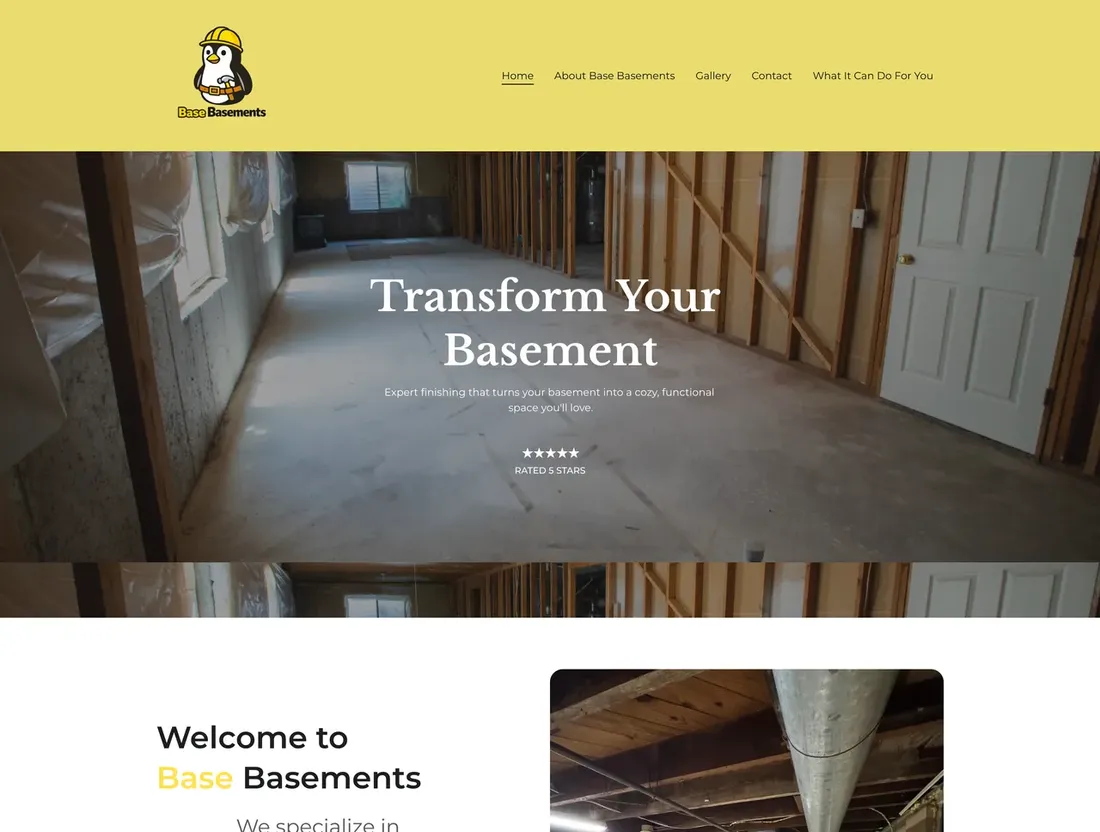
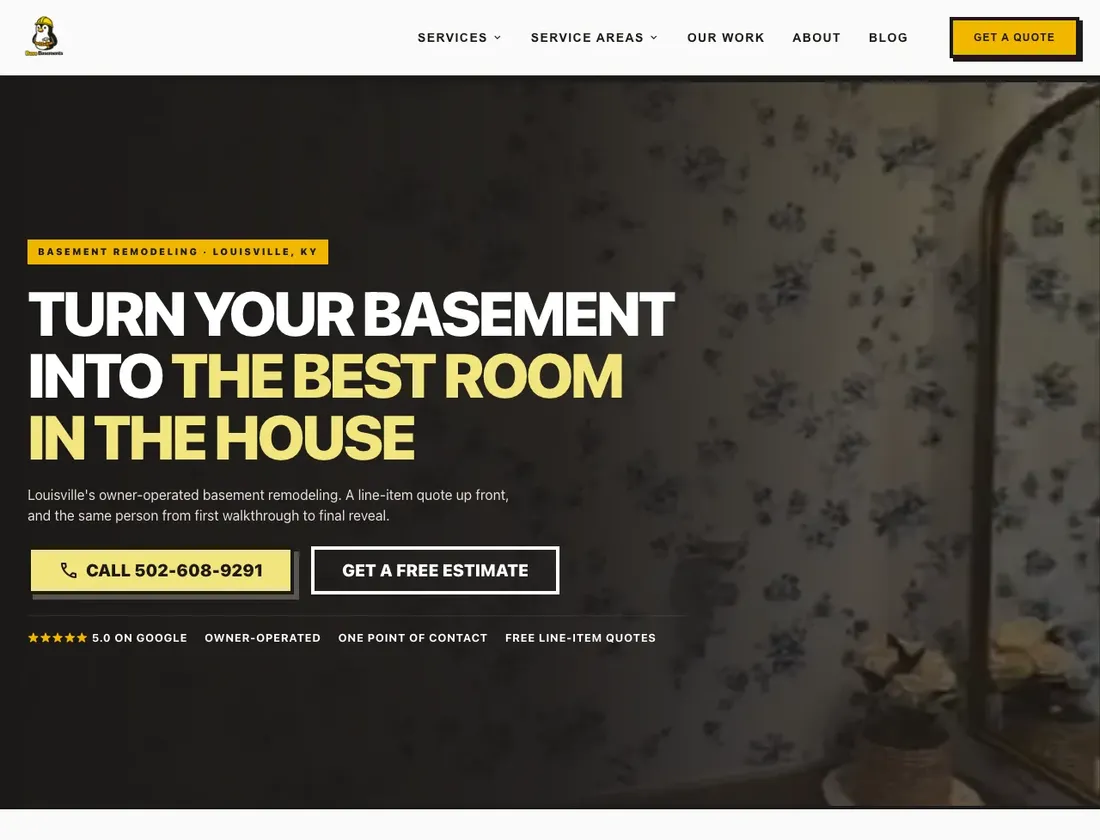
That was the whole problem for Base Basements, an owner-operated basement remodeler in Louisville. When I checked the map pack for basement remodeling in Louisville, they were not in it. Their old site opened on a slogan, and the menu was Home, About, Gallery and Contact. There was no page for any service or any area, so there was nothing for Google to match a search to.
Everything I changed was on the website:
- A page for each service: framing, drywall, carpentry, flooring, lighting and painting.
- A page for each area they work in, St. Matthews included. 25 pages in total, up from a handful.
- Guides for people not ready to call, and schema on every page so Google reads the site as a real local business.
For prominence, the work is plainer: reviews that keep coming in from real jobs, and your name, address and phone the same everywhere your business is listed.
How do I check where my business shows up on Google Maps?
Not from your own phone at your own address. Distance is one of the three things Google weighs, so searching from where you are shows you the best result you will ever get.
- Search the way a customer does: the service and the place, like "basement finishing St. Matthews", not your name.
- Use a private browser window so your own history does not help you.
- Ask someone on the other side of town to search the same thing and send you a screenshot.
How can I get my business to show up on Google Maps?
Fix in this order, because each step is wasted if the one before it is broken:
- Listing problems. Finish verification, clear a suspension, remove duplicates.
- Your main category. Pick the one from Google's list that matches the work you most want. Extra categories help, but the main one matters most.
- Your website. A page for each service and each area you want to show up in.
- Reviews and consistent details. The steady part that keeps you there.